
 How to Buy Crypto (ShakePay)
Rogers block IPTV in Canada: What’s Really Happening?
Your IPTV app stops loading on Rogers Internet, but everything else still works. It is easy to assume that Rogers block IPTV traffic across Canada. That conclusion can be wrong. Several very different problems can produce the same black screen, timeout, or loading spinner. In 2026, one cause can indeed be court-ordered blocking. However, a Rogers security feature can look almost identical. So can a server outage or normal network fault.
The useful question is not simply whether Rogers “blocks IPTV.” You need to identify what is being blocked. Next, you need to determine why it happened. IPTV itself is only a way to deliver television over an IP network. Legal broadcaster apps and authorized television services use internet delivery too. Canadian blocking orders target specified unauthorized platforms, not IPTV technology as a whole.
This guide uses current Rogers policies and the Federal Court order from July 3, 2026. It gives you a diagnostic path without relying on piracy workarounds. The goal is simple. Identify the real cause before changing your router, security settings, or streaming service.
Does Rogers block IPTV? The short answer
Rogers does not publish a blanket wireline policy that targets IPTV as an application class. Its current Network Management Policy says no specific application or protocol is targeted. The policy also says download traffic is not managed under that wireline practice. Instead, it mainly describes temporary management of sustained uploads during unusual congestion.
That distinction matters. Many online guides use “throttling” and “blocking” as if they mean the same thing. They do not. Network management can deal with congestion. A security product can block a suspicious destination. Meanwhile, a court order can require an ISP to prevent access to selected addresses.
Rogers can therefore block specific destinations without operating a general IPTV ban. The clearest current example is Federal Court File T-1127-26. The order was issued on July 3, 2026. Rogers Communications Canada Inc. is one of the ISP respondents. It must block or attempt to block covered targets for residential wireline customers.
The order is targeted. It does not tell Rogers to disable every IPTV app or playlist. Nor does it ban every streaming server. Instead, it defines target platforms through copyright and operational criteria. The initial case names six subscription IPTV brands and seven open-web piracy platforms. It also provides a process for adding qualifying addresses later.
Rogers manages mobile and wireless traffic differently from home wireline Internet. Its wireless policy allows content-agnostic congestion management and video optimization. However, that is still different from targeting one IPTV service during ordinary use.
So, can Rogers block IPTV access? Yes, when a specific destination falls under a lawful blocking mechanism. Security controls can also restrict certain destinations. Does Rogers block every service because it uses IPTV technology? Its published policies do not support that claim.
What changed with IPTV blocking in Canada in 2026?
The key current development is Federal Court order T-1127-26. Justice Richard Southcott issued it in Ottawa on July 3, 2026. Rogers Media and Rogers Communications appear among the applicants. Rogers Communications Canada appears among the ISP respondents implementing the order.
The initial order identifies several unauthorized subscription services. They include Apollo Group TV, Diablo IPTV, GLO TV, IPGuys, Jio TV, and Smart4K/Platinum. It also names several open-web piracy platforms. Therefore, the order is clearly not a generic ban on internet television. It deals with defined services and qualifying future targets.
The expanded-scope mechanism is especially important. A future platform must satisfy criteria stated by the Court. Its sole or predominant purpose must involve unauthorized television or movie distribution. It must also operate in a substantially similar way to the covered piracy categories. Other requirements apply as well.
The applicants can propose more domains, subdomains, or IP addresses. An ISP respondent can object through the Court's stated process. If no qualifying objection is filed, the proposed schedule can become the updated schedule.
For customers, the notification system is particularly useful. Where practical, affected users should receive information about the Court order. DNS blocking, DNS rerouting, or equivalent methods can lead to that notice. The current notification identifies Federal Court File T-1127-26. It also explains why access was disabled.
Canada used other site-blocking and dynamic sports orders before this case. Rogers still links earlier court-order material from its terms page. However, the July 2026 case uses a broader framework. It covers subscription piracy services alongside open-web piracy platforms.
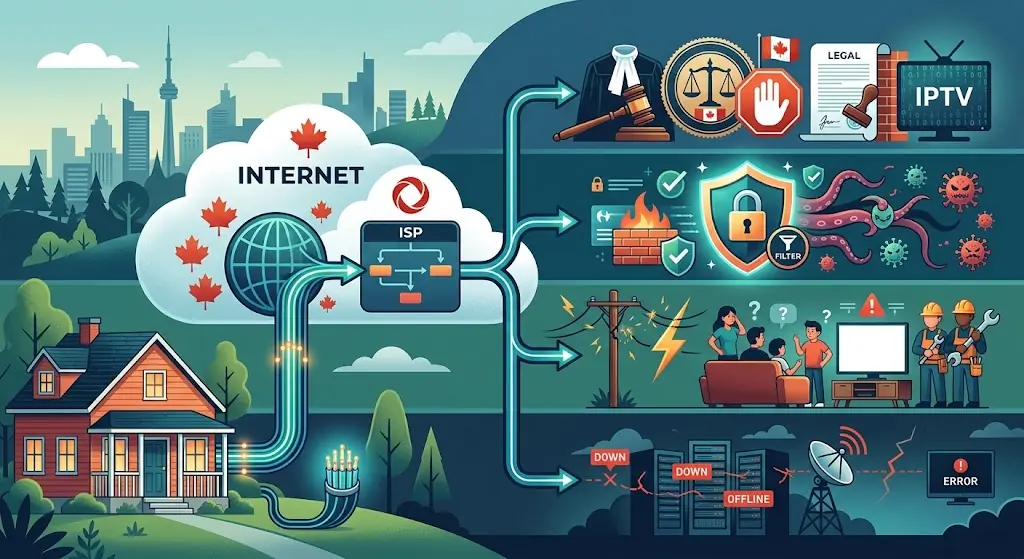
Four failures that look like Rogers IPTV blocking
Most people only see the final symptom. The channel does not open. However, four different systems can cause that result. Knowing their fingerprints saves time and prevents bad troubleshooting.
- A Federal Court block. This is the clearest legal case. A targeted domain, subdomain, or IP address can become inaccessible. Where practical, users should receive notice connected to the Court order. If T-1127-26 appears, the problem is not weak Wi-Fi.
- Rogers Xfinity Advanced Security. This feature can stop access to destinations considered potentially dangerous. Rogers says Threat History can show the site and reason. Importantly, this is a security decision. It is separate from a copyright blocking order.
- A normal Rogers connection problem. Wi-Fi interference can interrupt live video. So can gateway trouble, area congestion, or a routing fault. These problems often produce unstable performance instead of one clean destination-level refusal.
- The streaming service or app is failing. Its server may be offline. Credentials may have expired. An app update may also break playback. Likewise, one channel can fail while unrelated channels remain healthy.
The timing of a failure provides another clue. A stream stopping during a major sports event can make blocking seem obvious. Canadian courts have previously authorized dynamic blocking against unauthorized live sports streams. However, timing alone is not proof. Big events can also overload streaming infrastructure.
The same caution applies when IPTV works on mobile data but not Rogers WiFi. That result tells you the network path changed. It does not explain why. The difference could involve a Court block, Xfinity security, routing, or home networking.
A successful speed test does not settle the question either. A speed test usually measures a different network path. Your streaming app may connect to a remote server elsewhere. Therefore, a fast result proves your line can move data. It does not prove that every internet destination is reachable.
The best diagnosis combines several clues. Look for a Court notification. Check Advanced Security. Check the provider's status. Then compare known legal streaming services. Each result answers a different question.
How to tell if Rogers is blocking IPTV
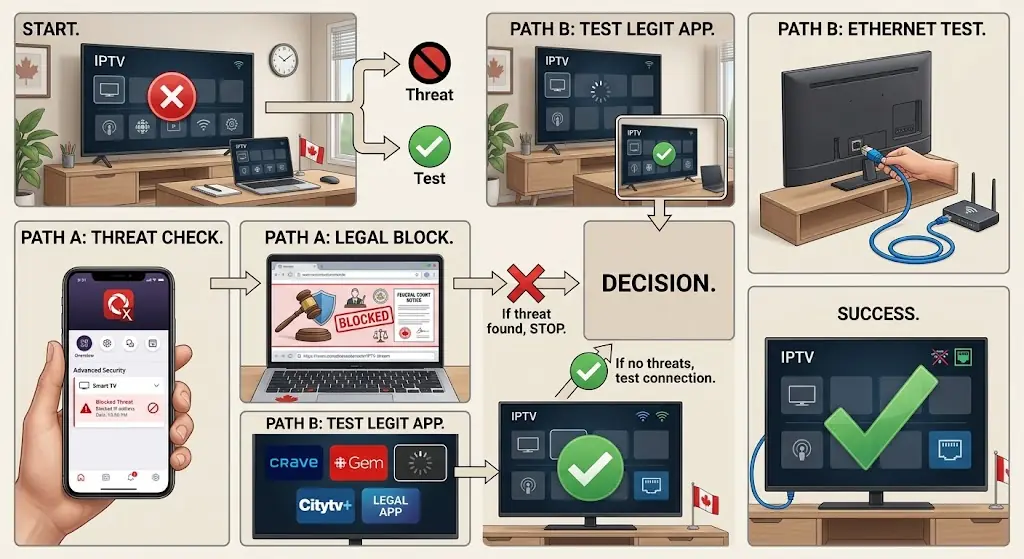
Use a diagnosis sequence before changing anything. Random setting changes can destroy useful evidence from the original failure.
- Confirm what service you are using. Determine whether it is authorized to distribute the content you want. If a platform is covered by a Court order, do not treat that restriction as a technical fault to defeat.
- Look for an actual blocking notice. Open the service's official website on the same Rogers connection. A T-1127-26 notice is direct evidence of court-ordered blocking. However, some app failures may not display a normal browser notice.
- Check Rogers Xfinity Threat History. Do this when Advanced Security is active. Look for a Suspicious Site Visit or related alert. Rogers says the dashboard records blocked destinations and reasons.
- Open a known authorized streaming service. Use the same television or streaming box. If several unrelated legal apps also fail, investigate the home connection first.
- Test a second device on the same Rogers network. One failing device points toward its app or hardware. A network-level destination block should normally affect devices using the same route.
- Check the streaming provider's status. Look for an official status page or support notice. A reported outage is far more useful than changing random router options.
- Restart after collecting evidence. Restart the device and Rogers gateway. Next, test Ethernet when possible. This removes many temporary device and Wi-Fi problems.
- Write down the result. Record the time, app, device, and exact error. Note whether other legal streams work. These details make support much more effective.
Comparing home Wi-Fi with mobile data can help with a verified legitimate service. Use the result only as a diagnostic clue. If the legal service works on mobile but not Rogers, report that difference. Contact Rogers and the streaming service.
Do not jump directly to alternate DNS settings or a VPN. Both change how traffic reaches its destination. Therefore, they can hide the original problem. More importantly, they should not be used to evade a Federal Court restriction.
A different route also does not prove illegal throttling by Rogers. It only proves that the path changed. Diagnosis requires stronger evidence than that.
This approach differs from a normal buffering checklist. The first question is not how fast your Wi-Fi is. First, identify the failure mechanism. Only then should you investigate speed, signal, hardware, or player settings.
Rogers Advanced Security blocking IPTV is different
Rogers Xfinity Advanced Security deserves separate attention because it creates real blocks. However, those blocks should not be confused with T-1127-26.
Rogers says Advanced Security monitors the home network for suspicious activity. It can stop visits to potentially dangerous websites. Examples include destinations associated with malware, spyware, ransomware, or viruses. The system can also restrict suspicious outside connections to home devices.
When a Suspicious Site Visit is blocked, the Xfinity dashboard can show details. It can include the affected destination and the reason. Rogers also acknowledges that a legitimate site can occasionally be blocked.
If you know a destination is safe, Rogers provides its own temporary review process. For a continuing false positive, Rogers recommends contacting support. Do not use that process to defeat a copyright Court order.
If your browser displays the Federal Court notification, Advanced Security is not the main issue. Changing an unrelated security setting addresses the wrong system.
The older Protected Browsing feature can matter for some customers too. Rogers says most customers now use Advanced Security instead. Protected Browsing could restrict categories such as malware and phishing. Its listed categories also included software piracy and copyright theft.
This history may explain older advice telling users to disable router security. That advice is too broad for 2026. First, inspect the reason for the restriction. Next, verify the destination.
Do not weaken your entire home network for an unknown streaming server. If a legitimate destination is misclassified, contact the service and Rogers. If you cannot verify the server, treat the security warning seriously.
What to do when legal IPTV stops working on Rogers
An authorized internet-TV service should be treated like any other legitimate online service. Your goal is to restore normal access. It is not to work around a lawful restriction.
First, check the provider's official status and support channels. A provider-side outage can affect one service while Rogers Internet works normally. Next, update the app and restart the device. Authentication tokens and stale sessions can also cause confusing errors.
Then inspect Rogers Xfinity Advanced Security. If the service appears in Threat History, read the stated reason. Do not disable protection immediately. A legitimate false positive should use Rogers' supported review process.
If there is no security alert, try Ethernet. This removes local Wi-Fi from the test. Next, open another authorized streaming app on the same television. If both fail, investigate the gateway or Rogers connection.
If only one service fails, the cause moves elsewhere. Its app could be broken. Authentication may have failed. The provider could also have a routing or server problem.
Be precise when contacting Rogers. Saying “IPTV is blocked” gives support little evidence. Instead, provide the exact time and device model. Include the app name and error. Also mention whether the website loads.
Tell support whether Advanced Security logged a threat. Explain whether unrelated legal streaming apps still work. This helps separate internet access from one service's infrastructure.
Do the same with the streaming provider. Ask whether its authentication and delivery systems are operating normally in Canada. A reputable provider should investigate without asking you to weaken router security.
If you are testing StreamIPTV on Rogers, use its trial before a longer commitment. Report the ISP, device, app, and problem time to support. Its current FAQ says a VPN is not normally required on Rogers. As with any third-party service, confirm that you may lawfully access your chosen content.
Finally, a regional sports blackout is another separate issue. A licensed sports app may restrict one game because of territorial rights. The rest of the app can still work normally. That is not proof that Rogers Internet blocked the service.
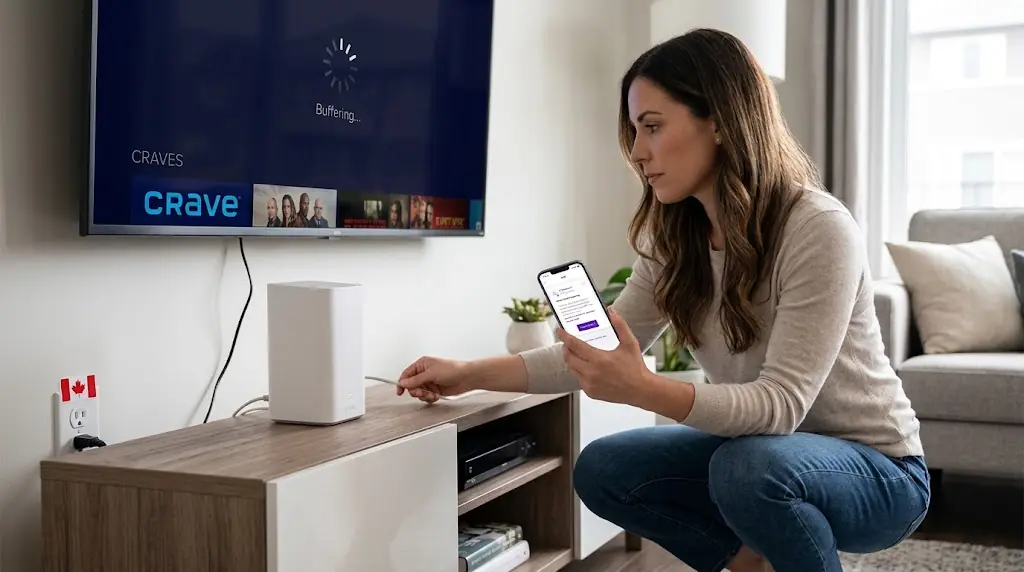
What Canadians should avoid during Rogers IPTV troubleshooting
Bad advice spreads quickly because a workaround can appear to fix the symptom. However, it may hide the real cause. It can also create a new security problem.
- Do not assume every failure is throttling. Rogers says its wireline traffic-management practice does not target a specific app or protocol. It also says download traffic is not managed under that practice.
- Do not disable Advanced Security blindly. Check Threat History first. If a legitimate service is misclassified, use Rogers' documented process.
- Do not treat a VPN as proof. A VPN changes routing and other network behaviour. A different result only tells you that the path changed.
- Do not use alternate DNS to evade a Court order. T-1127-26 expressly permits DNS blocking and DNS rerouting. It also permits equivalent technical methods.
- Do not trust random “anti-block” server addresses. You may expose credentials or send traffic through infrastructure you cannot verify.
- Do not confuse sports blackouts with ISP blocking. A licensed platform can restrict a game because of regional rights. That restriction occurs within the content service.
The Court order also contains protections against possible over-blocking. For example, certain shared IP situations can require blocking to stop. The order also lets affected parties seek a variation.
The official notice gives affected internet customers a formal legal route. It states that a customer affected by the order may seek a variation. It also gives a 30-day filing window from first being affected.
The practical rule is simple. If Rogers block IPTV access under a Court order, do not try to defeat it. If a legitimate service fails for another reason, identify that reason. Then fix the specific problem instead.
FAQ
Does Rogers block IPTV in Canada?
Rogers does not publish a blanket wireline policy blocking IPTV technology. However, it can be required to block specific unauthorized streaming platforms under Federal Court orders. Advanced Security can separately block suspicious destinations.
Why is IPTV not working on Rogers WiFi but works on mobile data?
The result shows that the network path matters. However, it does not prove deliberate throttling. Security filtering, routing, Wi-Fi faults, DNS behaviour, or a Court block can produce that pattern. Check the available notices before changing settings.
Can Rogers Advanced Security block an IPTV app?
Yes. An app may contact a destination that Advanced Security considers suspicious. Rogers says blocked activity appears in Threat History. With HTTPS sites or mobile apps, you may not always see a normal browser block page.
Does Rogers throttle IPTV traffic at night?
Rogers' current wireline policy does not describe IPTV-specific download throttling. It says no application or protocol is specifically targeted. It also says download traffic is not managed under that wireline practice. Evening congestion can still reduce performance.
Why does IPTV stop during hockey or live sports on Rogers?
Several causes are possible. Canadian courts have previously authorized dynamic blocks against unauthorized live sports streams. Large events can also overload streaming servers. Licensed apps can impose regional blackouts too. Timing alone does not identify the cause.
How can I tell if a Rogers IPTV block is court-ordered?
Look for the official Court notification. The current T-1127-26 notice states that access was disabled under a Federal Court order. It also identifies the file number. However, alternative notice methods are permitted, so every app failure may look different.
Will changing DNS fix Rogers IPTV blocking?
Do not change DNS to evade a court-ordered restriction. The July 2026 order specifically permits DNS blocking and DNS rerouting. For a legitimate service that fails unexpectedly, keep the original settings first. Then contact Rogers or the service.
Do I need a VPN for IPTV on Rogers Internet?
There is no general technical requirement simply because you use Rogers. A VPN also changes the route and can add latency. It should not be used to circumvent a Court-ordered block. Treat privacy use as a separate decision.
What should I do if Rogers blocks a legitimate streaming service?
Check Xfinity Threat History and save the exact error. Confirm the service is legitimate. Then contact Rogers and the provider with the destination and time. If T-1127-26 causes legitimate over-blocking, the official notice describes a Court variation process.
Does the July 2026 Canadian Court order block all IPTV services?
No. T-1127-26 targets defined piracy streaming platforms and related destinations that meet the Court's conditions. It does not ban IPTV technology. The original order identifies specific subscription services and open-web piracy platforms.




Comments (0)
Leave a comment