
 How to Buy Crypto (ShakePay)

IPTV in Ontario: How to Choose a Legal Service That Actually Works
Your cable bill went up again. Meanwhile, half the channels you pay for sit unwatched. So you search for iptv ontario options, and the results turn confusing fast. Some pages promise thousands of channels for pocket change. Others never explain what you are actually buying.
This guide takes a different route. It walks through the questions an Ontario household should ask before paying anyone. We cover legality, internet speed, devices, setup, and support. In other words, the unglamorous parts that decide whether the service works in your living room.

Why IPTV Keeps Coming Up in Ontario Living Rooms
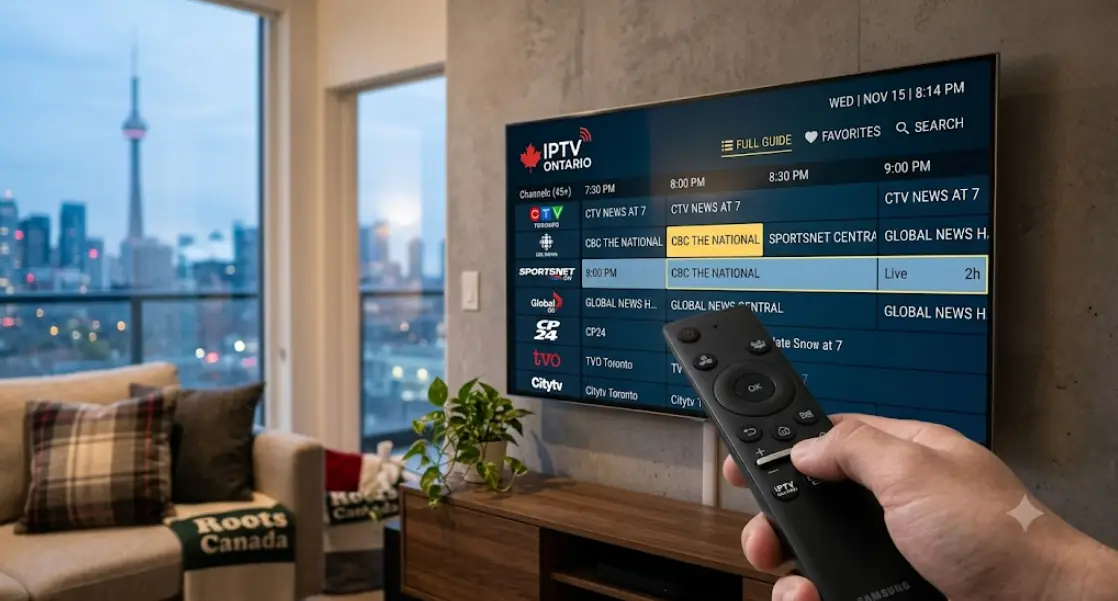
IPTV means television delivered over your internet connection. There is no coaxial cable, no dish, and no installer visit. Your Smart TV or streaming box simply pulls the video from a server. As a result, setup takes minutes instead of an afternoon.
Ontario households like the idea for a few practical reasons:
- Cost. A streaming plan usually costs less than a full cable package.
- Flexibility. Most plans run month to month, so you can leave.
- Condo and rental friendly. No wiring changes, no landlord approval.
- One screen for everything. Live TV sits beside your other apps.
That said, IPTV is not a magic replacement for everything. Regional sports rights, for example, still apply in Canada. A provider cannot hand you content it has no right to show. Understanding that limit early saves real frustration later.
There is also a habit shift at play. Many Ontario viewers already stream most of what they watch. Live TV was simply the last piece still tied to a cable box. IPTV closes that gap on the same screen.
Legal IPTV Services in Ontario vs. Grey-Market Sellers
This is the part most articles skip. Canada really has two kinds of IPTV. First, there are licensed services. They pay broadcasters for the right to carry channels. Next, there are grey-market sellers. They resell streams they never licensed at all.
The difference matters for you, not only for the broadcaster. Unlicensed services get taken offline. Canadian courts have ordered internet providers to block some of them. Meanwhile, your subscription vanishes and no refund arrives. In fact, the seller often disappears at the same time.
If a service offers every premium sports package in the world for one low monthly price, that price is telling you something. Nobody licenses that much content for that little.
Green Flags of a Licensed Streaming Service
- A real company name, address, and billing in Canadian dollars.
- A published channel list you can read before you pay.
- Plain terms of service and a written refund policy.
- Standard payment methods that carry buyer protection.
- Support you can actually reach, with hours listed in Eastern Time.
Red Flags Worth Walking Away From
- "Lifetime" subscriptions sold for a single payment.
- Payment only by e-transfer, gift card, or cryptocurrency.
- Every pay-per-view event and premium channel thrown in free.
- No real website, just a chat app contact.
- Advice to hide the service from your internet provider.
Broadcasting in Canada is regulated, and copyright law protects the people who make the content. You can read background material on the CRTC website. The short version is simple. A legal service pays for what it shows you, and it says so openly.
What to Look for in an IPTV Ontario Provider
Once you filter out the sketchy sellers, compare the rest properly. Most IPTV Ontario shoppers focus on one number: channel count. Honestly, that is the least useful figure on the page. Nobody watches 12,000 channels. Look at these instead.
| What to check | Why it matters | Good sign |
|---|---|---|
| Channel list | Shows what you really get | Public list, updated with a date |
| Simultaneous streams | Family homes need more than one | Two or three included, clearly stated |
| Device support | Your TV may not run every app | Named apps and platforms |
| Trial or refund | Lets you test before committing | Written policy with a time limit |
| Catch-up or recording | Live TV alone feels restrictive | Cloud recording or replay window |
| Support | Streams break at 8 p.m., not 9 a.m. | Evening and weekend coverage |
| Contract length | Protects you if quality drops | Monthly billing, easy cancellation |
Ask about local content too. Many Ontario households want Toronto, Ottawa, or Hamilton newscasts. Franco-Ontarian families often want French-language programming as well. Additionally, ask how the guide handles Eastern Time. A schedule set to another time zone gets annoying quickly.
Finally, read the fine print on quality. Some plans stream in HD only on certain channels. Others cap 4K to a handful of feeds. It is better to learn that now than after your first bill.
Will Your Ontario Internet Handle Live Streaming?
Live streaming is less forgiving than Netflix. A recorded show buffers ahead of you. A live feed cannot. As a result, connection quality shows up on screen almost instantly.
How Much Speed You Actually Need
Use these as planning numbers, not guarantees. Every home differs.
| Picture quality | Rough speed per stream |
|---|---|
| Standard definition | About 3 Mbps |
| HD (720p) | About 5 Mbps |
| Full HD (1080p) | About 8–10 Mbps |
| 4K | 25 Mbps or more |
Now multiply by the number of TVs running at once. Two Full HD streams need roughly 20 Mbps of headroom. Meanwhile, phones, laptops, and game consoles use the same pipe. Test your real speed at Speedtest during a busy evening, not at noon.
IPTV for Rural Ontario and Cottage Country
Fibre has not reached everyone in the province. Plenty of homes still use fixed wireless or satellite. Those connections can carry IPTV, but the details matter more. Satellite links, for example, add noticeable delay. Live sports may lag behind your neighbour's cable feed.
Before you subscribe, do three things. First, run speed tests at 8 p.m. on a weeknight. Next, ask the provider whether you can lower stream quality manually. Finally, choose a monthly plan so you can walk away cheaply.
Data Caps, Upload Speed, and Peak Hours
Some Ontario internet plans still include a monthly data cap. Live TV eats data steadily. Plan for roughly 3 GB per hour in HD and more in 4K. A household that watches several hours nightly can pass a cap quickly. Overage charges then erase your savings.
Upload speed matters far less here, since video flows toward you. Peak-hour congestion matters much more. On the other hand, a wired connection removes most Wi-Fi problems on its own.

Best Devices for Watching IPTV on Your TV
Your device choice affects picture quality and stability. It also decides which apps you can install. Not every app reaches every platform, so check first.
- Smart TVs. Samsung, LG, and Google TV sets often run IPTV apps directly. App availability varies by model year, however.
- Streaming sticks and boxes. Fire TV, Apple TV, and Android TV boxes give you more app choice. They also update more often than TVs do.
- Older televisions. A cheap box usually beats a five-year-old Smart TV interface. Older TV processors struggle with live guides.
- Computers and tablets. Handy for testing a service quickly, less pleasant for nightly viewing.
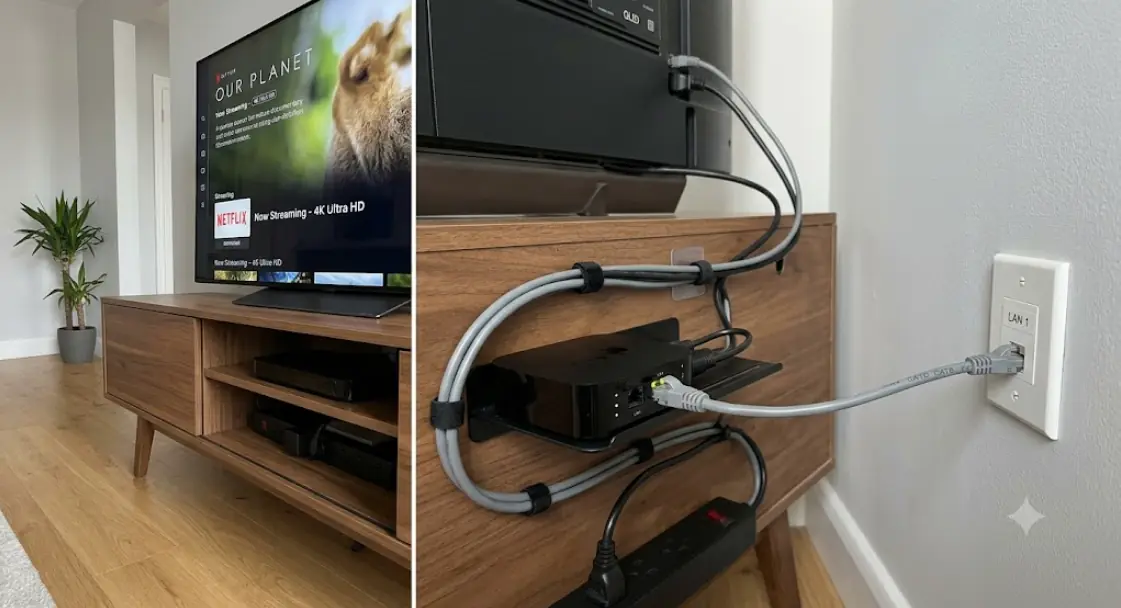
One tip beats all the others. Run an Ethernet cable to the device if you can. A wired link fixes more buffering complaints than any setting change. If cabling is impossible, move the router closer or add a mesh point. Additionally, keep the device on 5 GHz Wi-Fi rather than 2.4 GHz.
Setting Up Your Service and Testing It Properly
Most setups follow the same short path. Your provider sends credentials after you subscribe. You then load them into an app.
- Install the app your provider names. Avoid random side-loaded copies.
- Enter your login details, or paste the playlist link they supplied.
- Let the channel guide download fully before judging anything.
- Set the guide time zone to Eastern Time for Ontario.
- Test three channels: one news, one sports, one 4K feed.
Two credential formats show up constantly. A licensed provider gives you these directly — you should never need to hunt for them. An M3U playlist link usually looks like this:
http://server-address:port/get.php?username=USERNAME&password=PASSWORD&type=m3u_plus&output=tsSome apps ask for the same details in separate fields instead:
Server URL: http://server-address:port
Username:   USERNAME
Password:   PASSWORD
Test during your trial window, not after it closes. Watch a live game if sports matter to you. Watch during prime time as well. In fact, a service that looks perfect at 2 p.m. can stumble badly at 8 p.m.
Fixing Buffering, Freezing, and Sound Drops
Playback problems have a familiar order of causes. Work through them from cheapest to hardest.
Quick Fixes to Try First
- Restart the streaming device, then the router. Wait a full minute.
- Switch from Wi-Fi to Ethernet, or move closer to the router.
- Lower the stream quality inside the app settings.
- Pause other downloads, backups, and game updates at home.
- Clear the app cache, then reload the channel guide.
When the Problem Is Your Provider
Some patterns point away from your home network. For example, one channel freezes while everything else plays fine. Or trouble appears at exactly the same hour each night. Those signs suggest server load, not your Wi-Fi.
Test the same device on a different network to confirm. A phone hotspot works well for this. If the problem follows the service, contact support with details. Note the channel, the time, and the device. Good providers fix this. Sellers who ignore you have told you what you needed to know.
Also called internet TV, streaming TV, or over-the-top (OTT) television, IPTV appears under several names in Canada. The technology stays the same. Only the marketing changes. For more Canadian setup guides and device walkthroughs, visit streamiptv.ca.
FAQ
Is IPTV legal in Canada?
The technology itself is completely legal. Delivering TV over the internet breaks no rules. What matters is licensing. A service that pays broadcasters for its channels operates legally. One that resells streams it never licensed does not.
What should I check before I pay for IPTV Ontario service?
Check three things in order. First, find the company's real identity and terms. Second, read the refund policy. Third, confirm the app runs on your specific TV model. Everything else can wait until after that.
How does IPTV cost compare to cable in Ontario?
Streaming plans generally sit below full cable packages. Remember to count your internet bill too, though. A cable bundle sometimes hides that cost inside one price. Compare the total monthly outlay, not just the TV portion.
Can I get Canadian channels through an IPTV service?
Licensed services carry Canadian channels they hold rights for. The exact lineup differs by provider and package. Ask for the current channel list in writing. Do not rely on a screenshot from a sales page.
Do I need a special box, or will my Smart TV work?
Many recent Smart TVs handle IPTV apps fine. Older sets often lack the app or the processing power. A small streaming box costs less than a new TV. It also gets software updates for longer.
What internet speed do I need for 4K streaming?
Budget around 25 Mbps for a single 4K stream. Add headroom for other devices in the house. Also confirm your TV and app both support 4K. A 4K plan does nothing on a 1080p screen.
Does IPTV work in rural Ontario?
Yes, provided the connection stays stable at peak hours. Fixed wireless and satellite both work for many households. Latency can affect live sports on satellite links. Test thoroughly during your trial period.
Why does my stream buffer only in the evening?
Evening congestion is the usual culprit. Your neighbourhood shares bandwidth, and everyone streams after supper. Provider servers also carry their heaviest load then. Try a wired connection first, then report the pattern to support.
Can I watch on more than one TV at the same time?
That depends on your plan's simultaneous stream limit. Many plans include two or three. Sharing credentials beyond that limit usually breaks the terms. It often triggers an account lock as well.
Are French-language channels available for Franco-Ontarian households?
Some providers include French programming, others do not. Ontario has a large French-speaking population, so it is worth asking directly. Request the French channel list specifically. Bundled "international" packages rarely mean Canadian French content.
What exactly is an M3U playlist?
An M3U file is a plain text list of stream links. Your app reads it and builds a channel lineup. Providers hand you a link rather than a file. Treat that link like a password, since it carries your credentials.
Will a VPN improve my IPTV connection?
Usually not. A VPN adds a detour, so speeds often drop slightly. Using one to reach content outside your region also breaks most terms of service. Fix the wiring and Wi-Fi first instead.
What happens if my provider suddenly shuts down?
With a licensed service, you cancel and move on. With an unlicensed seller, prepaid money is usually gone. This is the strongest argument against lifetime deals. Monthly billing keeps your exposure small.








Comments (0)
Leave a comment