
How to Delete a Custom Template in TREX Reseller Panel ?
Slideshow Mode
Follow each step fullscreen. Swipe, drag or use ←→ keys.
Learn how to delete a custom template from the TREX Reseller Panel in just a few clicks.
If you no longer need a saved TREX Custom Template, you can remove it directly from the Templates section.
Follow the steps below to quickly delete a template from your TREX Reseller Panel.
Start
Open the Templates Section
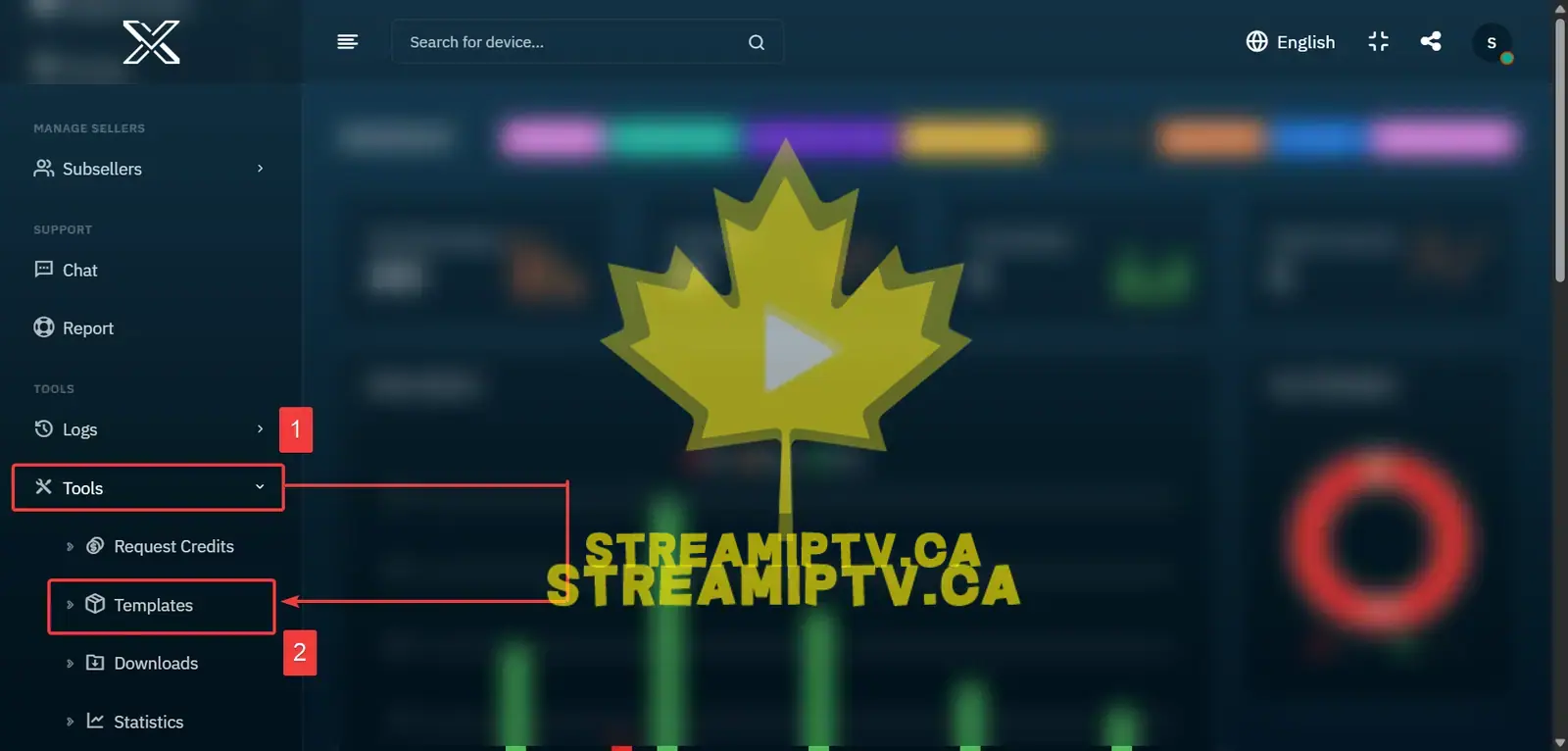
Scroll down to Tools in the TREX Reseller Panel menu and click Templates.
Click the Delete Icon
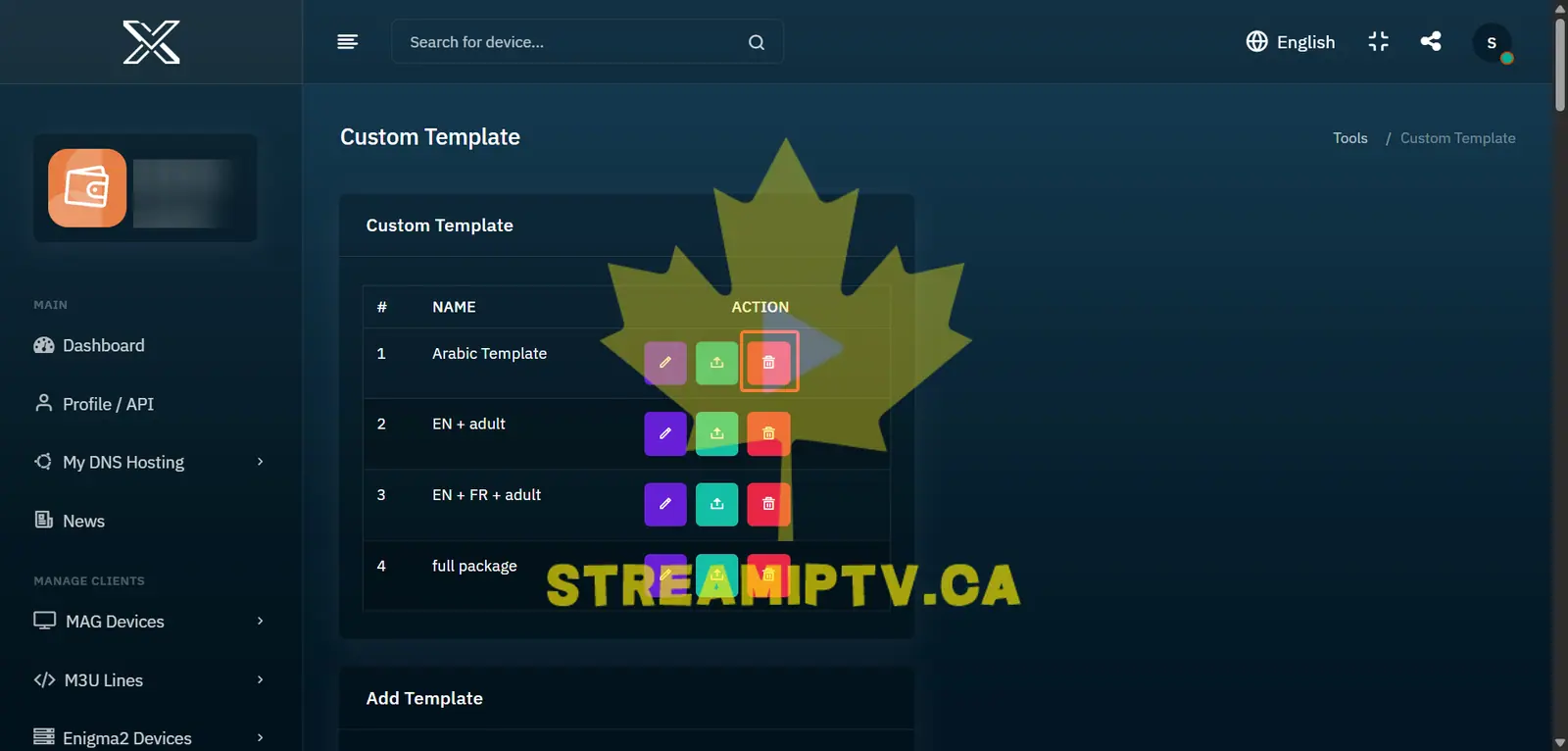
Find the template you want to remove and click the bin icon next to its name.
Final step
Template Successfully Deleted
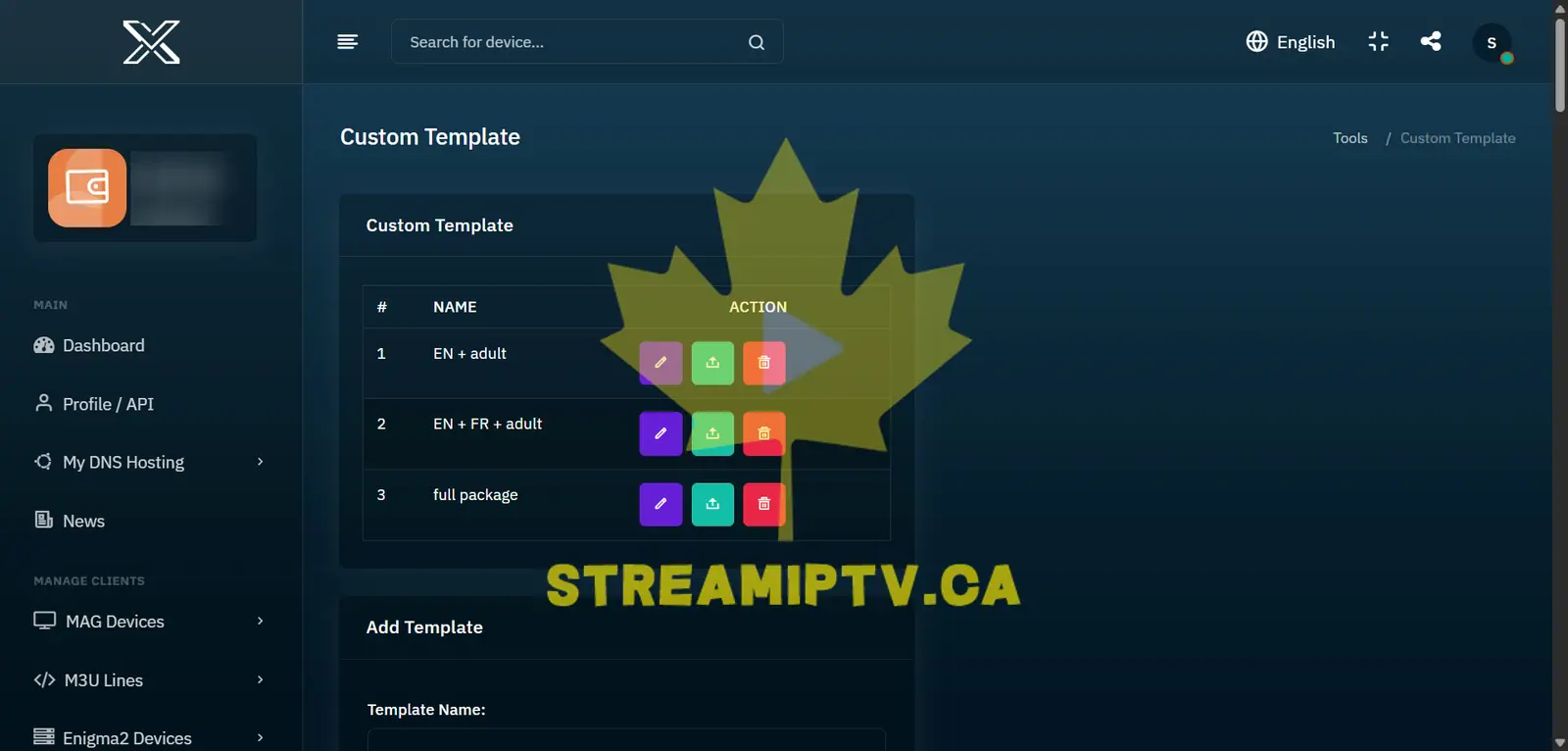
The selected TREX Custom Template is now deleted and will no longer appear in your template list.
Comments (0)
Leave a comment