
How to Quick Add a New User in TREX Panel (M3U / Xtream Codes) ?
Slideshow Mode
Follow each step fullscreen. Swipe, drag or use ←→ keys.
Learn how to quickly add a new user in the TREX Reseller Panel using a saved template and generate M3U or Xtream Codes credentials up to 5x faster than manual setup.
The Quick Add New feature in the TREX Reseller Panel lets you create a new M3U / Xtream Codes user much faster than the standard manual method.
Instead of selecting Live TV channels and VOD packages one by one, simply choose a previously saved Custom Template, select the subscription duration and create the account.
This method can make adding new users up to 5x faster. Follow the steps below.
Start
Open M3U Lines and Quick Add New
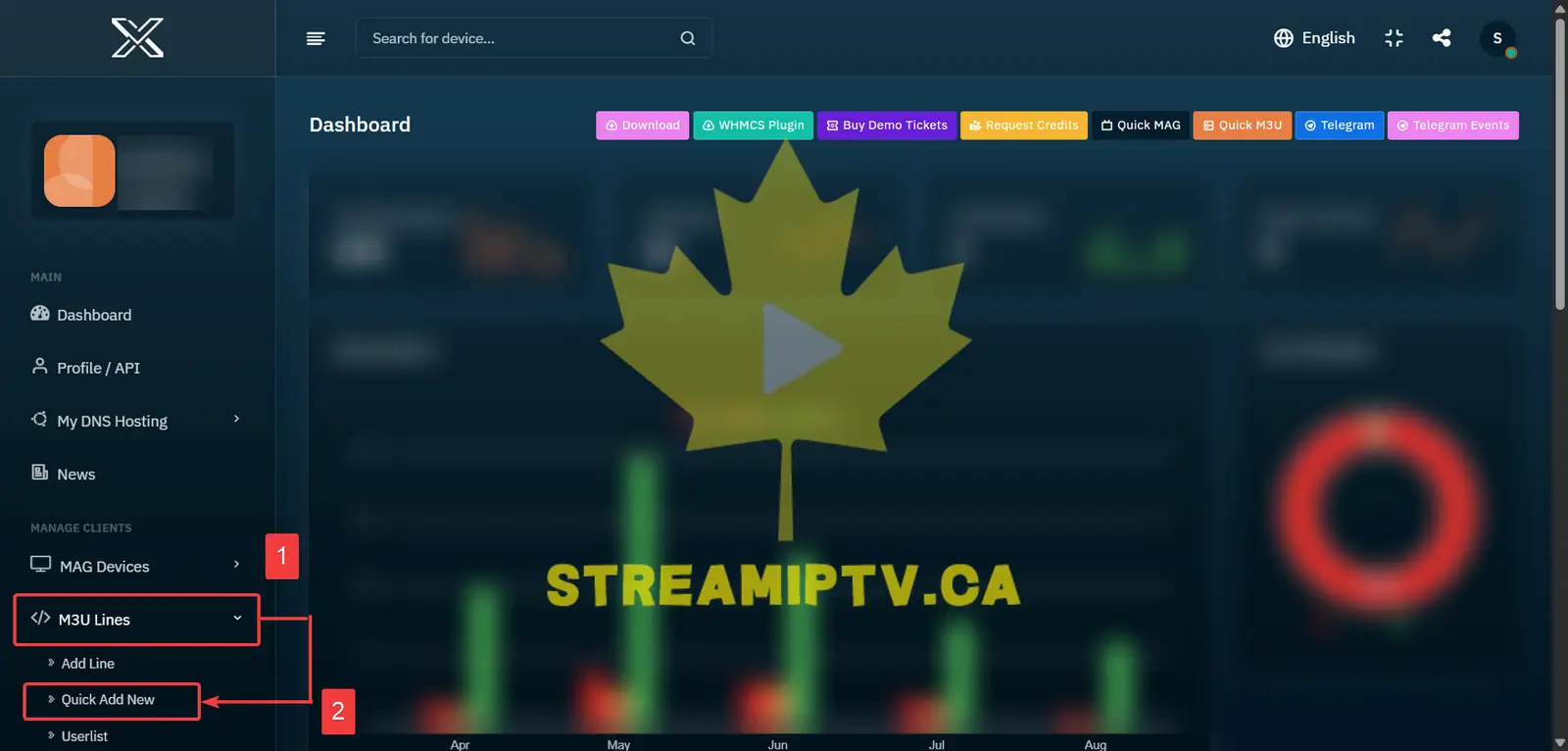
From the TREX Reseller Panel menu, click M3U Lines, then select Quick Add New.
Open the Quick Add User Form
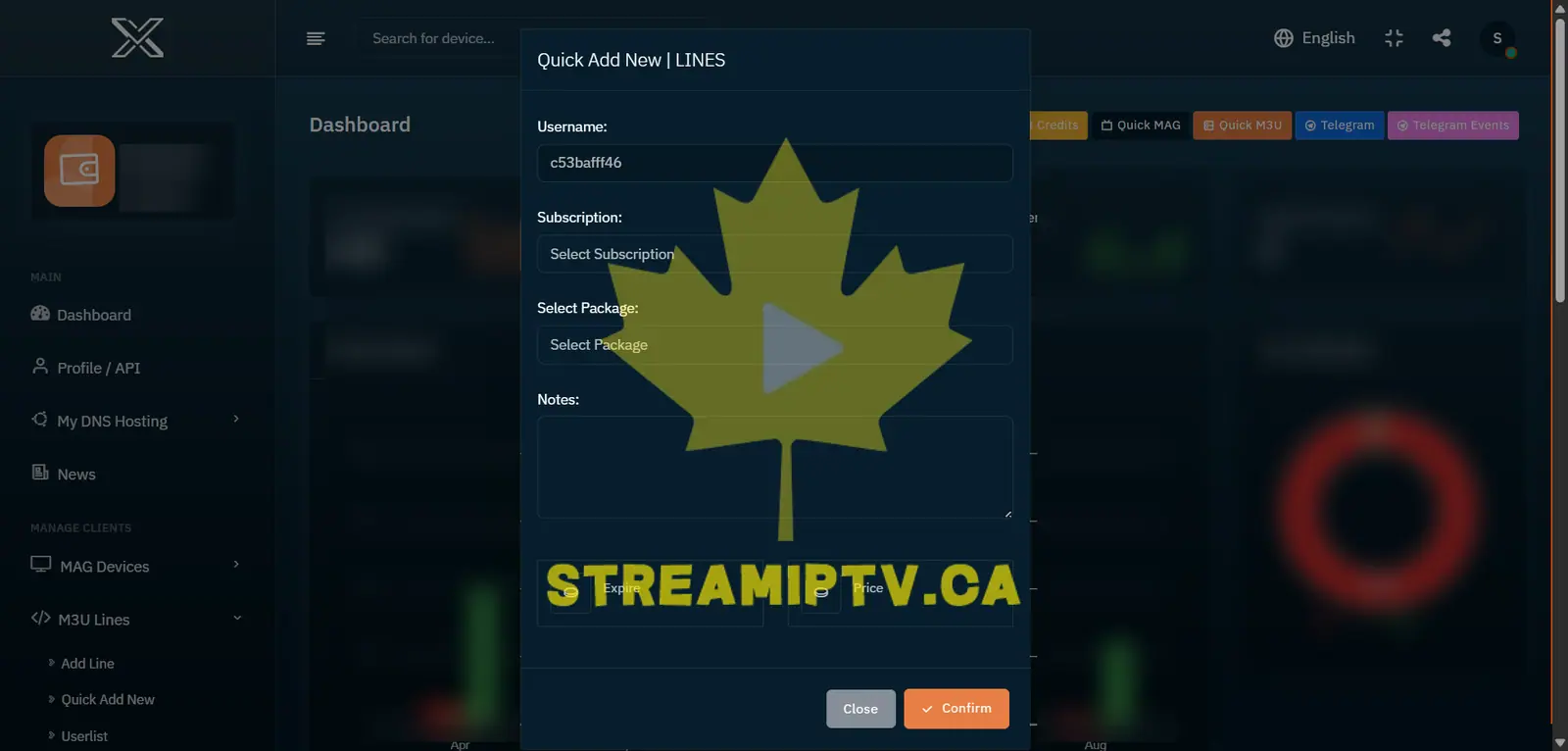
The Quick Add User form will appear, allowing you to create a new subscription in just a few steps.
Select the Subscription Duration
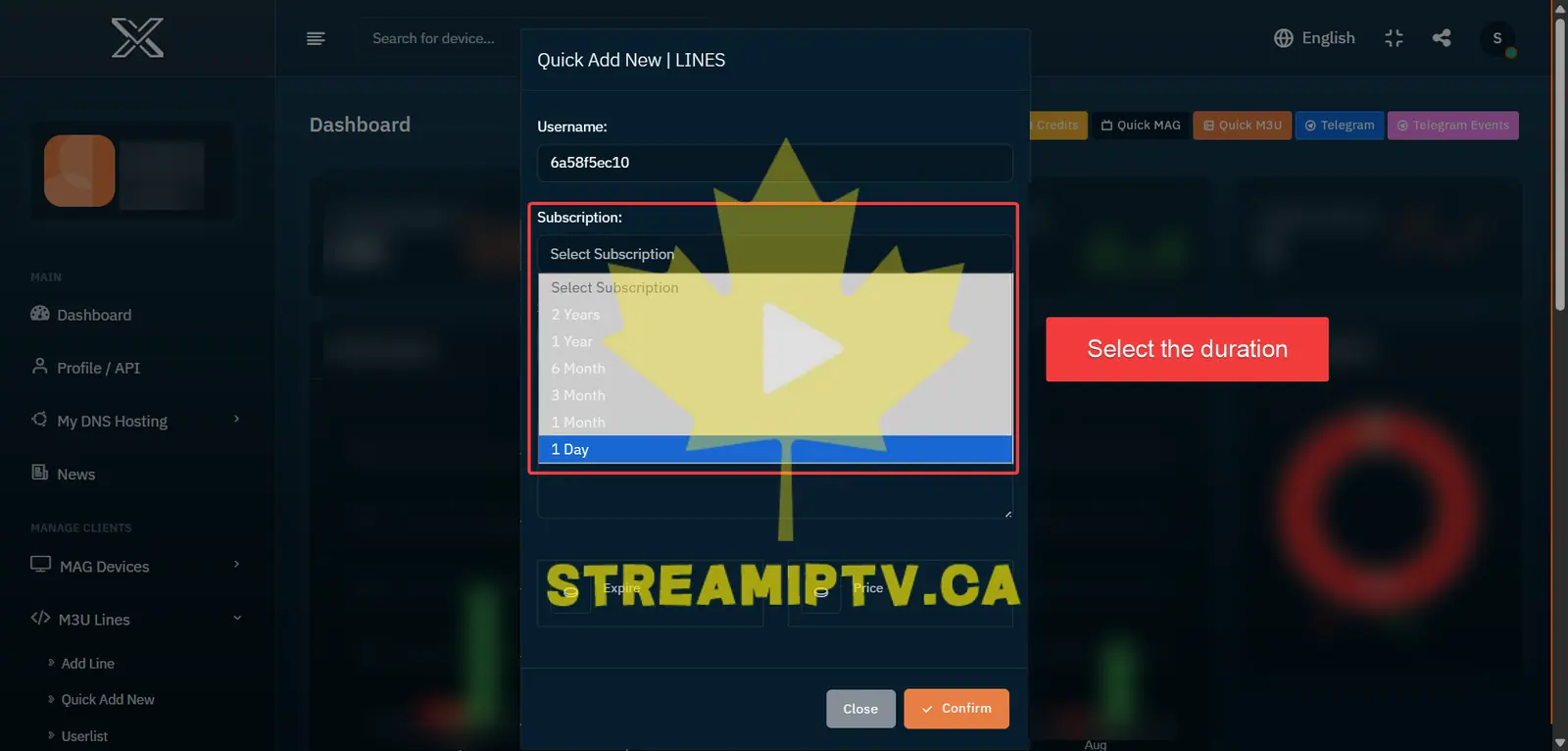
Choose the subscription duration you want to activate for the new user.
Choose Your Custom Template
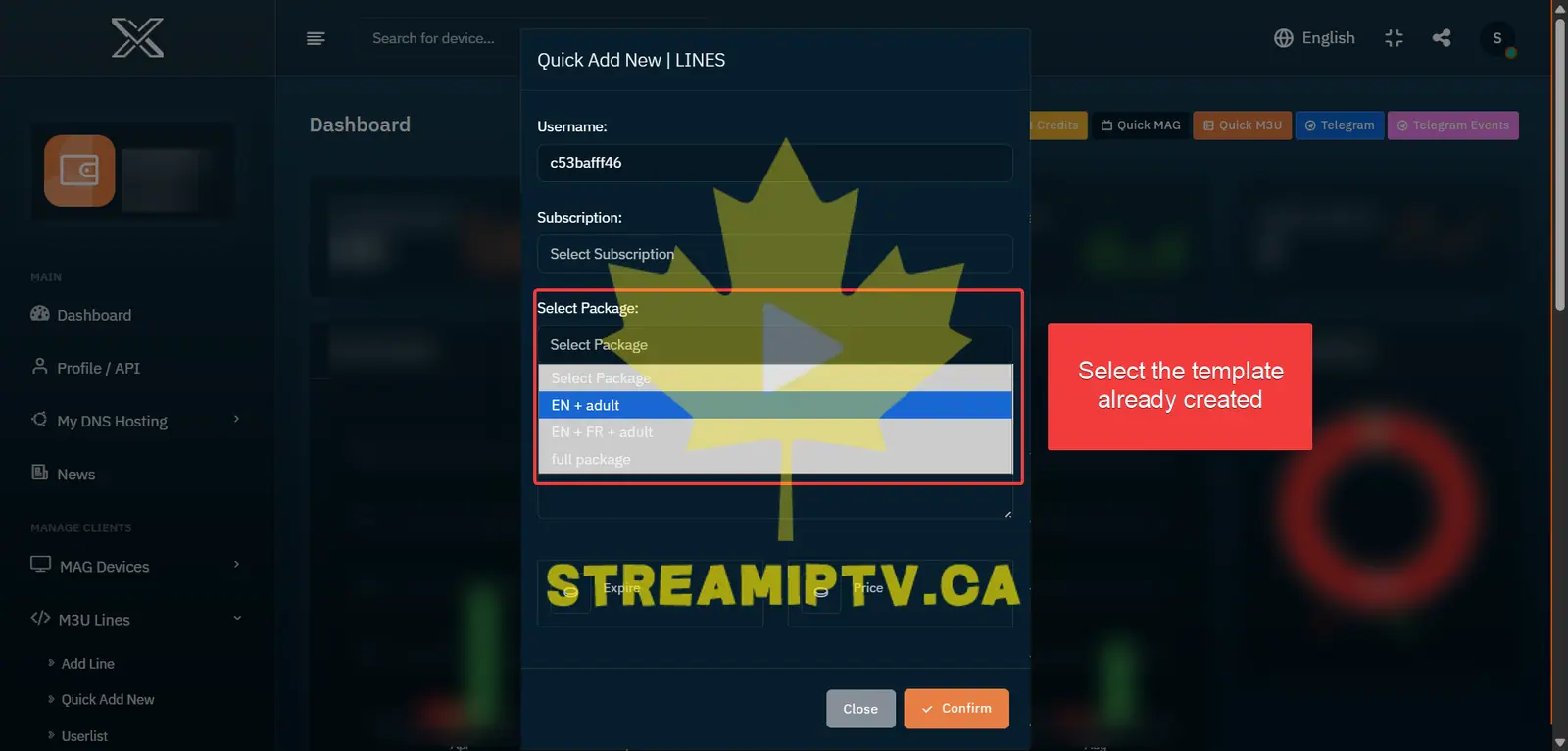
Select the Custom Template you want to use. The saved Live TV channels and VOD packages will be applied automatically.
Add a Note if Needed
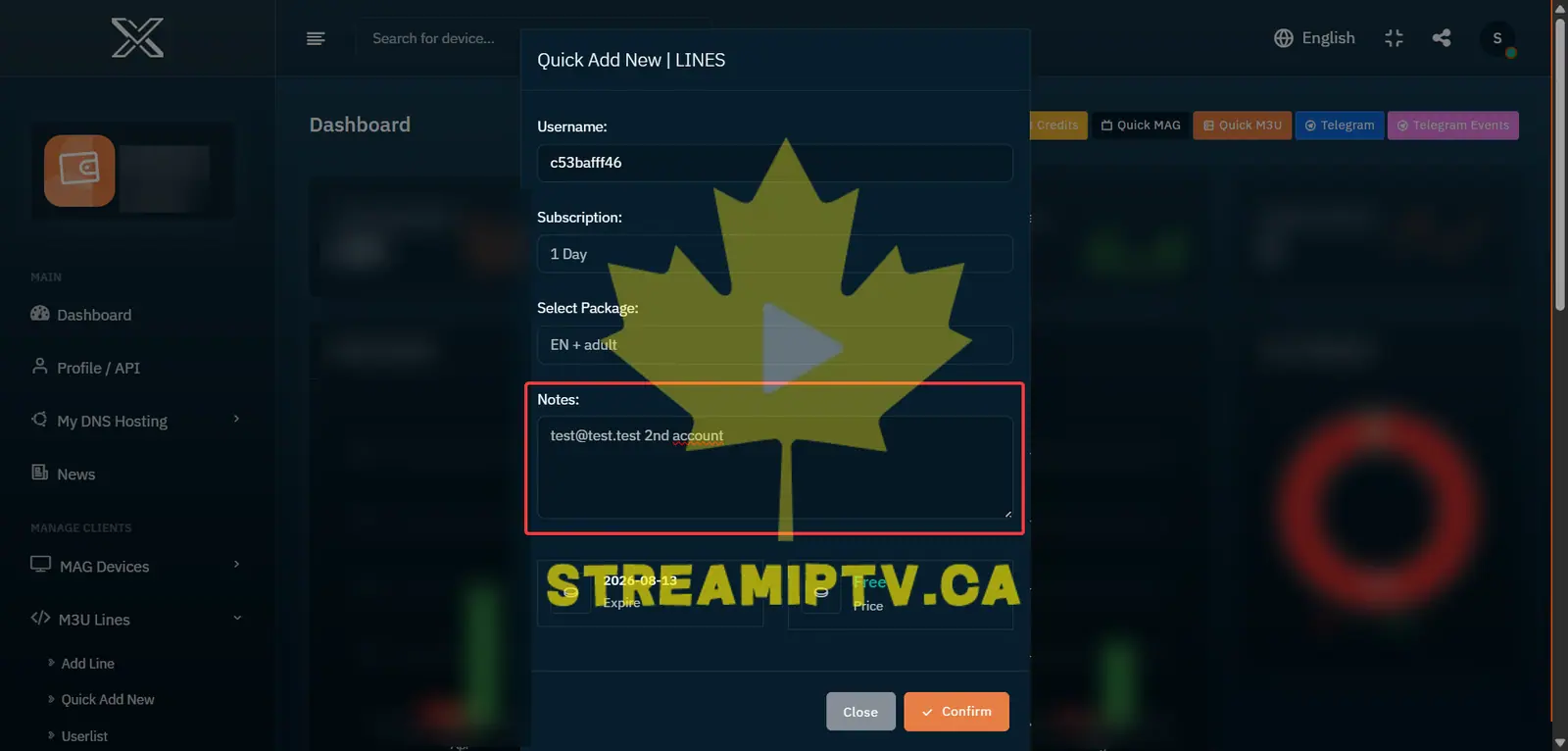
Add any useful information in the Notes field, such as the customer's email, renewal details or additional months.
Click Confirm
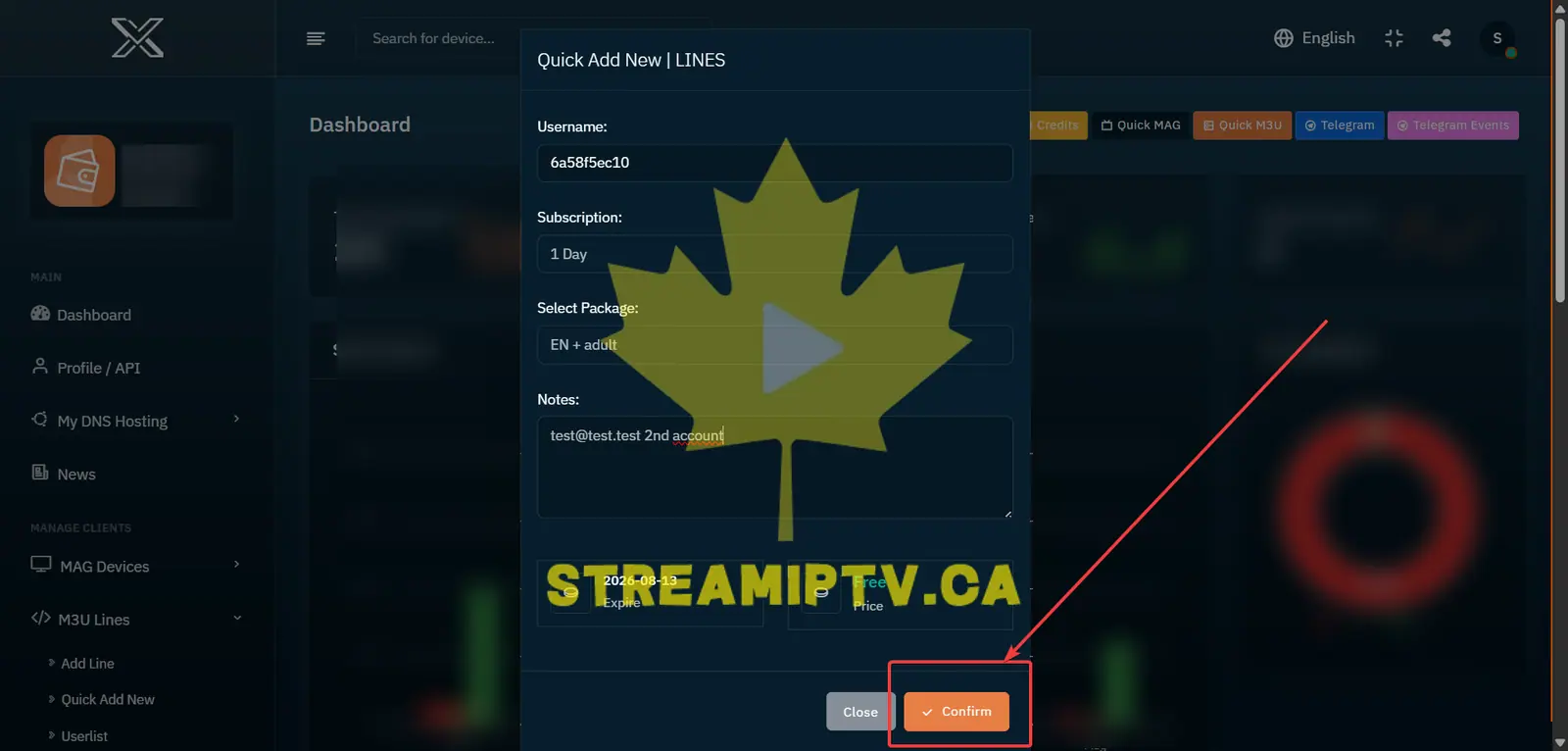
Review the selected subscription and template, then click Confirm to create the new TREX user.
User Successfully Created
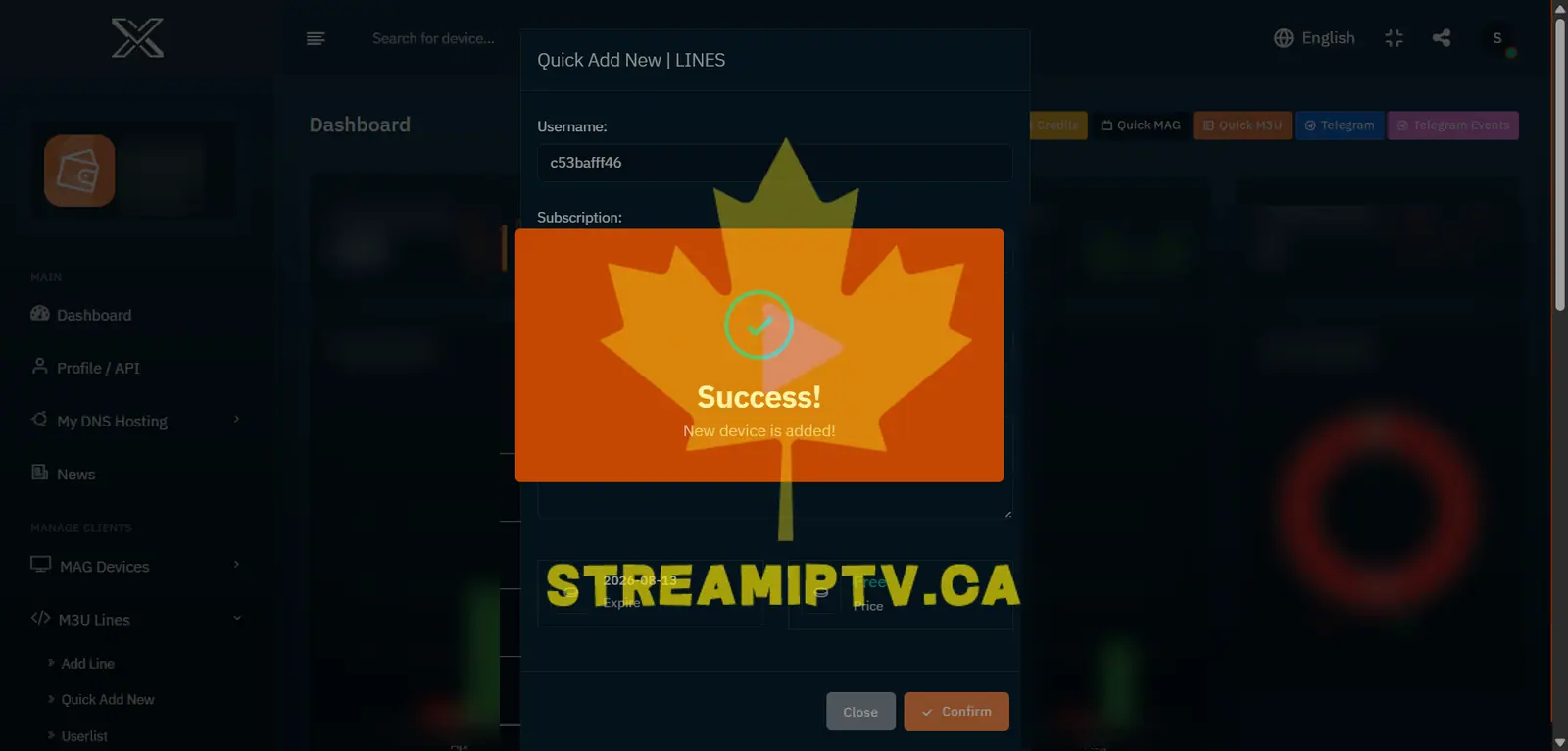
Your new TREX M3U / Xtream Codes user has now been created successfully.
Final step
Copy the M3U or Xtream Codes Login and deliver it to the customer
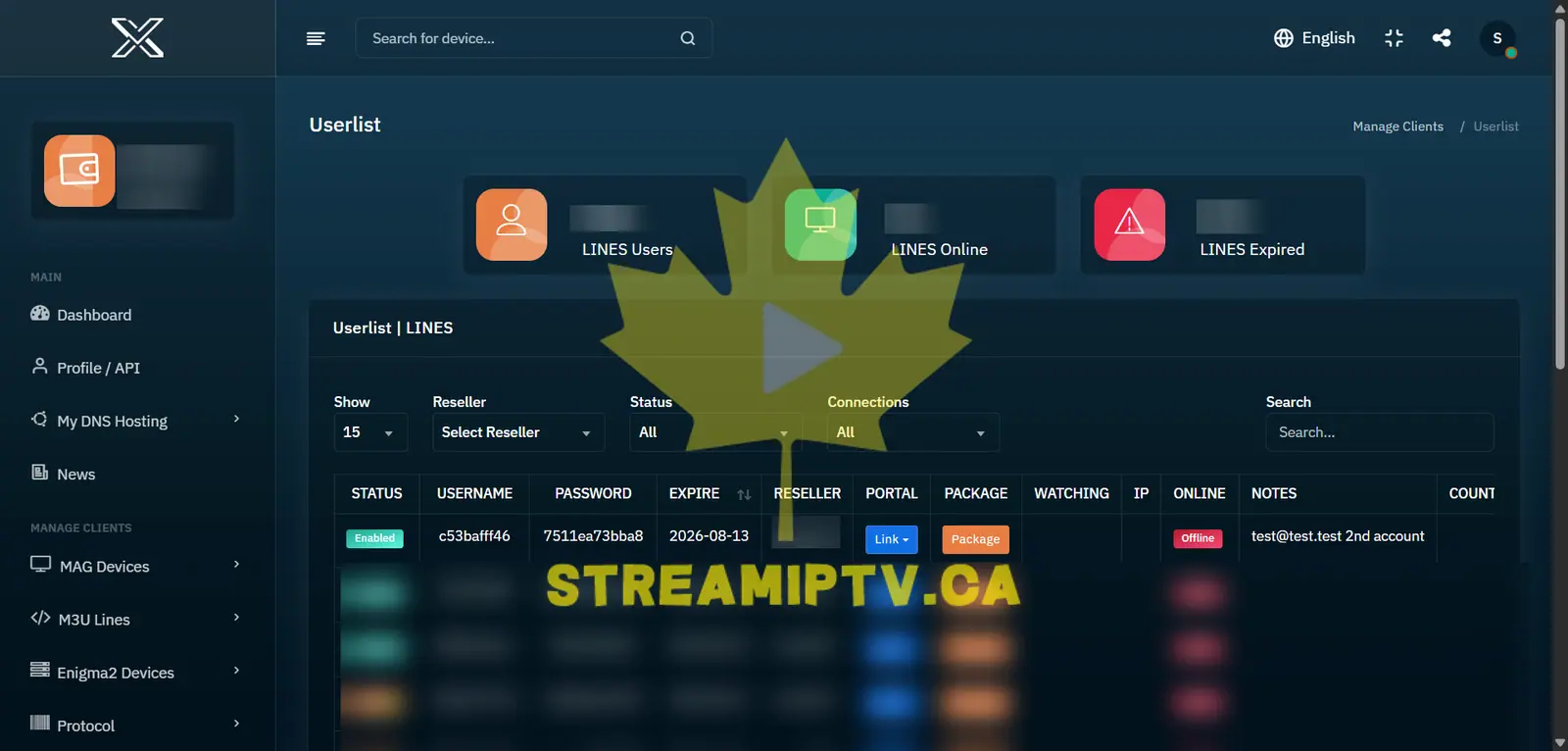
Your TREX subscription is now ready. Open the created line and copy the M3U URL or the server URL, username and password for Xtream Codes-compatible apps.
Comments (0)
Leave a comment