
How to generate a free test (24h Trial) on the Trex panel ?
Slideshow Mode
Follow each step fullscreen. Swipe, drag or use ←→ keys.
Learn how to generate a free 24-hour trial in the TREX Reseller Panel, select channels and VOD, and provide M3U or Xtream Codes login details to your customer.
The TREX Reseller Panel allows you to generate a free 24-hour trial so a customer can test the service before purchasing a subscription.
If your account meets the required credit condition, you can create trial accounts using the same Live TV, VOD and Custom Template options available for regular subscriptions.
Follow the steps below to create a TREX 24h Trial and send the M3U or Xtream Codes credentials to your customer.
Start
Open M3U Lines and Add New Line
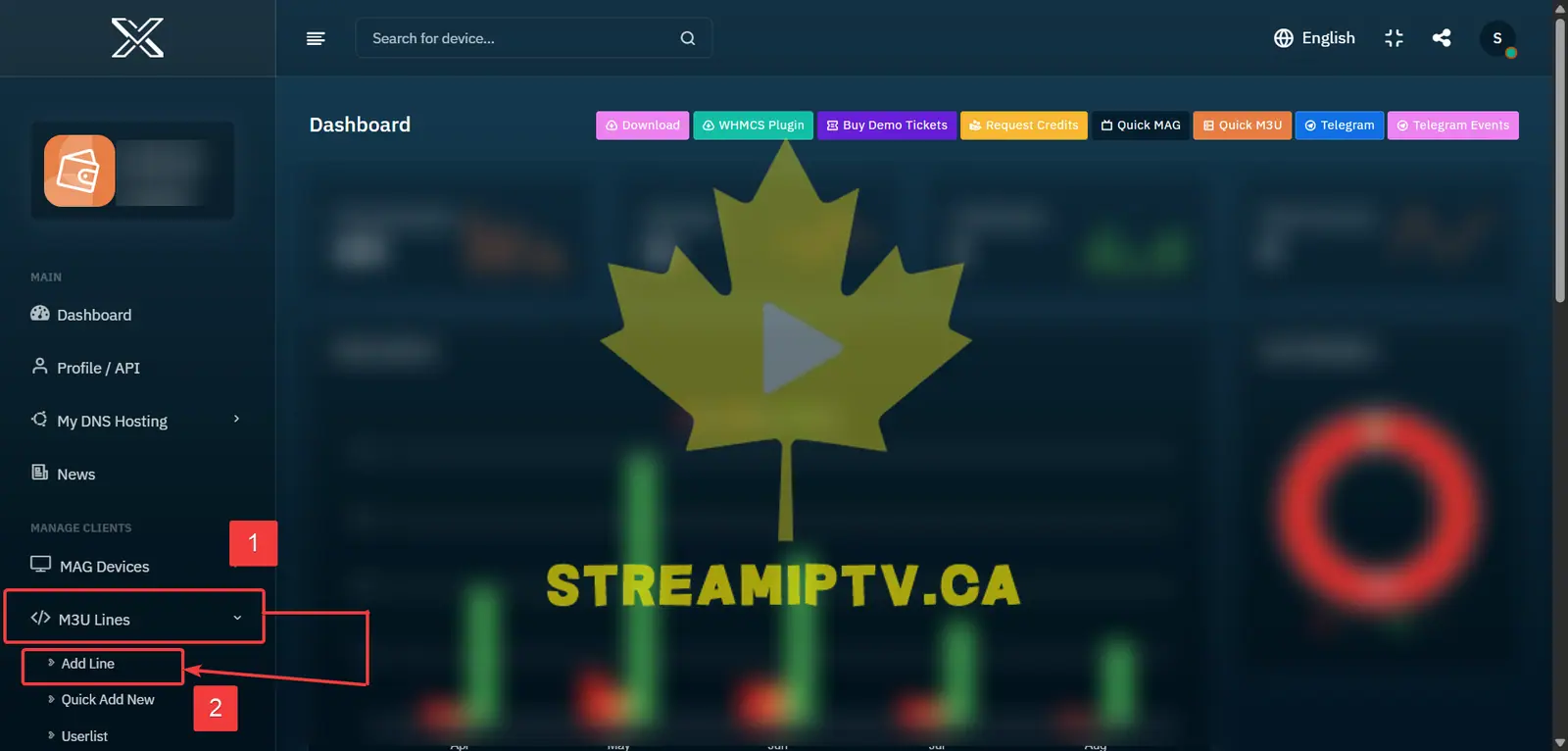
From the TREX Reseller Panel menu, click M3U Lines, then select Add New Line.
Check Your Available Free Trials
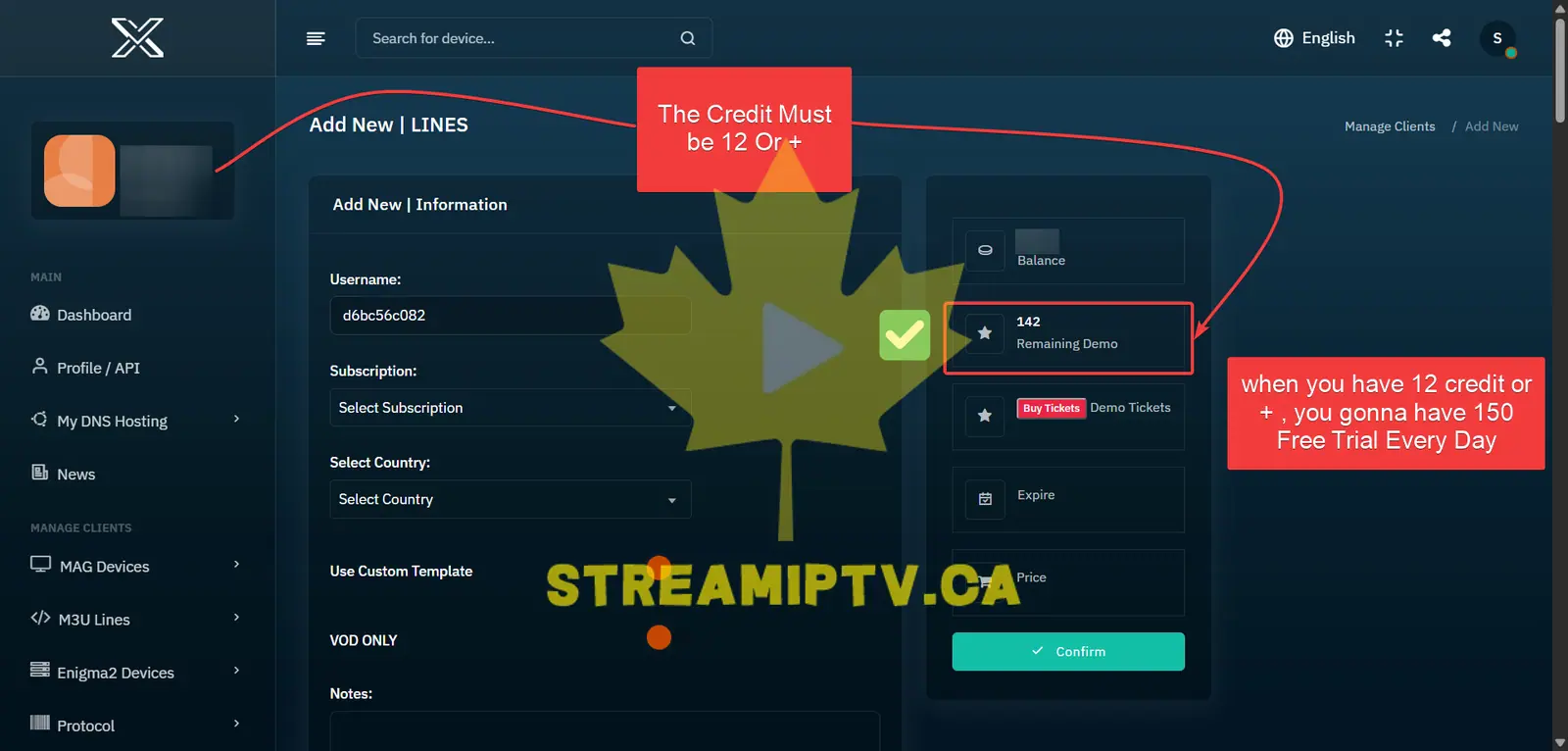
Make sure your TREX account has at least 12 credits. When this condition is met, the panel provides up to 150 free demo trials for the day.
You can check the available number under Remaining Demo on the right side of the page.
Select 1 Day for the 24h Trial
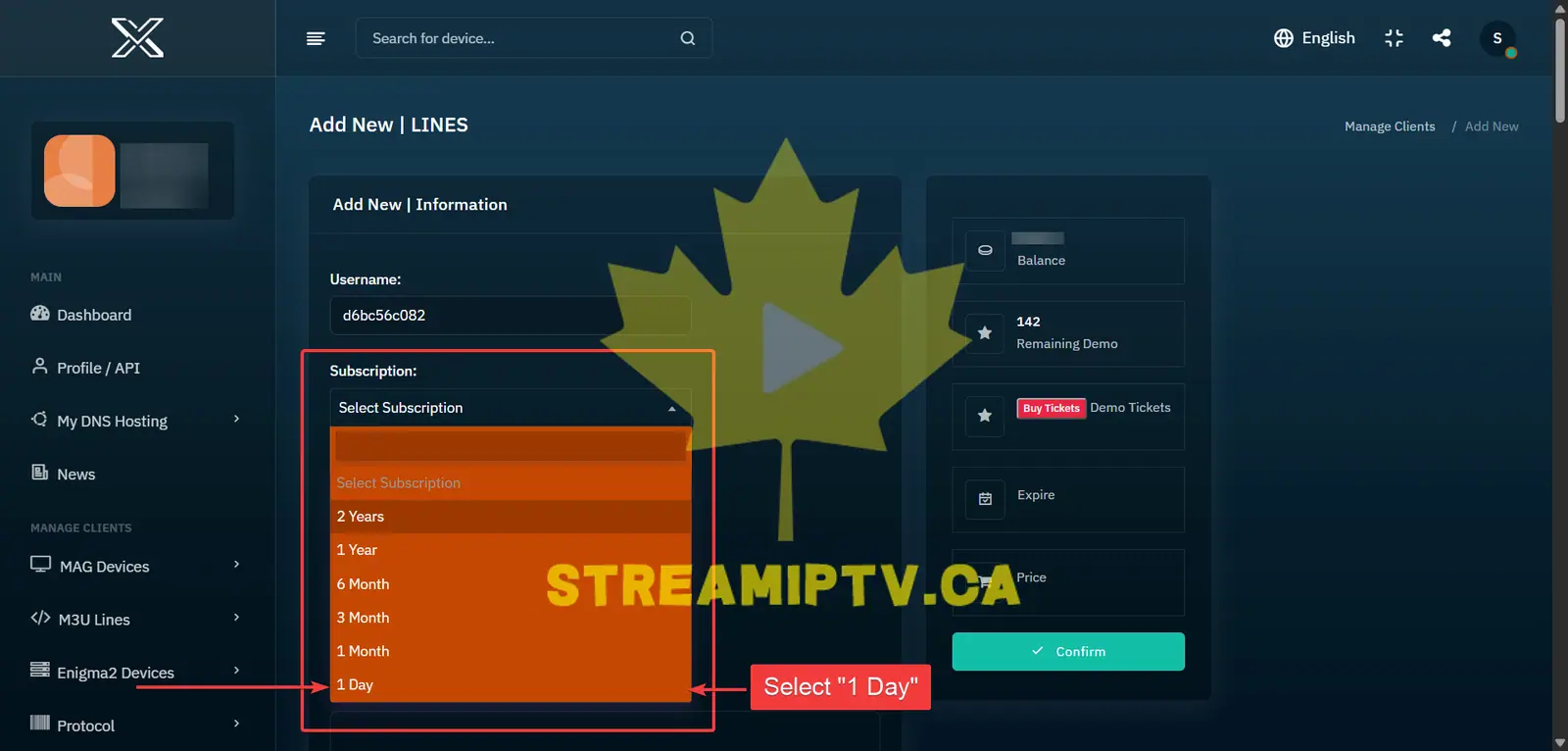
Open the Subscription menu and select 1 Day to create a 24-hour TREX trial account.
Configure the TREX Trial
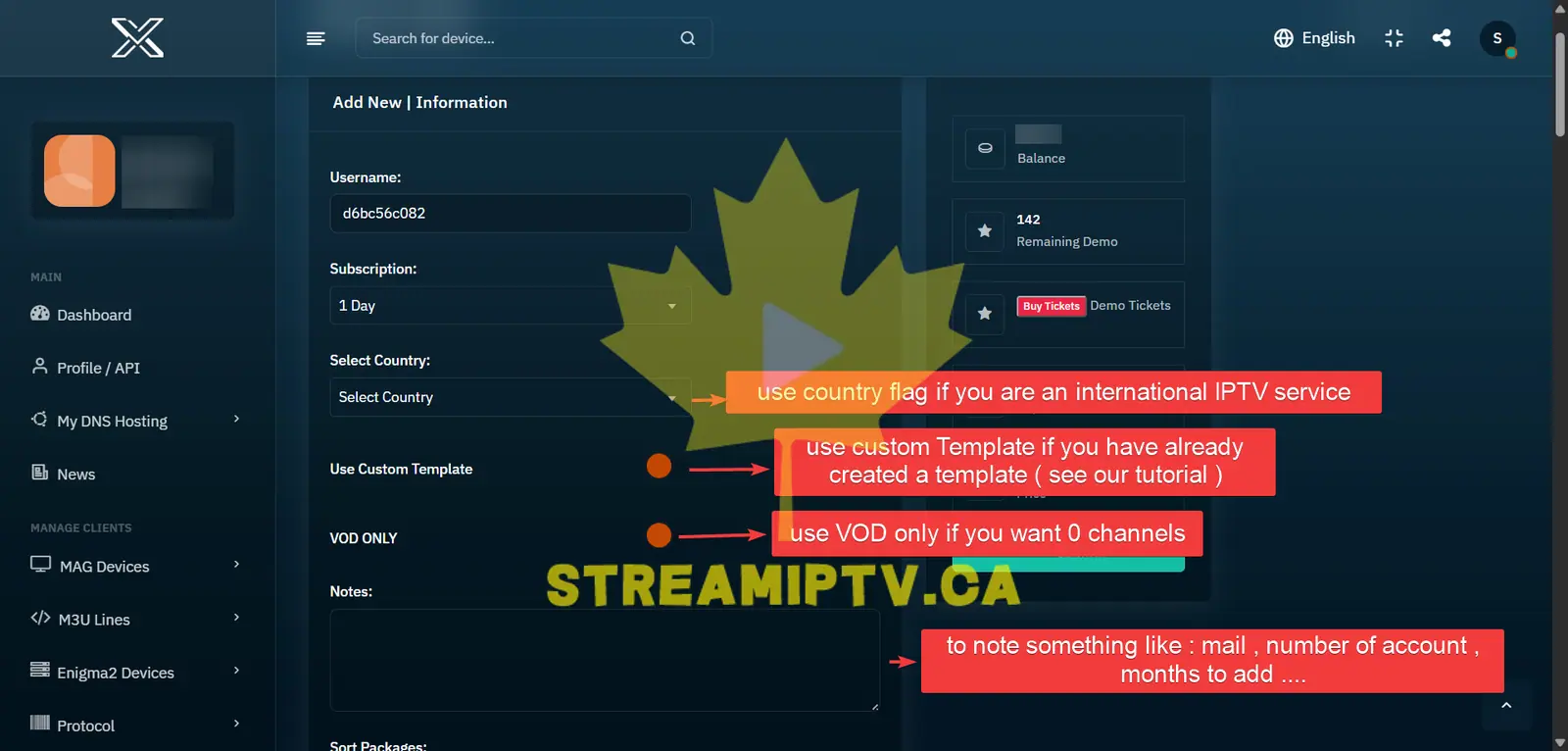
Customize the trial using the available options:
- Country: Select the customer's country when you want to organize or configure the trial based on their region.
- Use Custom Template: Enable this if you already created a template containing your preferred Live TV and VOD packages.
- VOD ONLY: Enable this if you want the trial to contain only movies and TV series with no Live TV channels.
- Notes: Add useful information such as the customer's email, account number, special request or another reminder.
All of these options are optional except the subscription duration.
Choose Live TV Channels and VOD
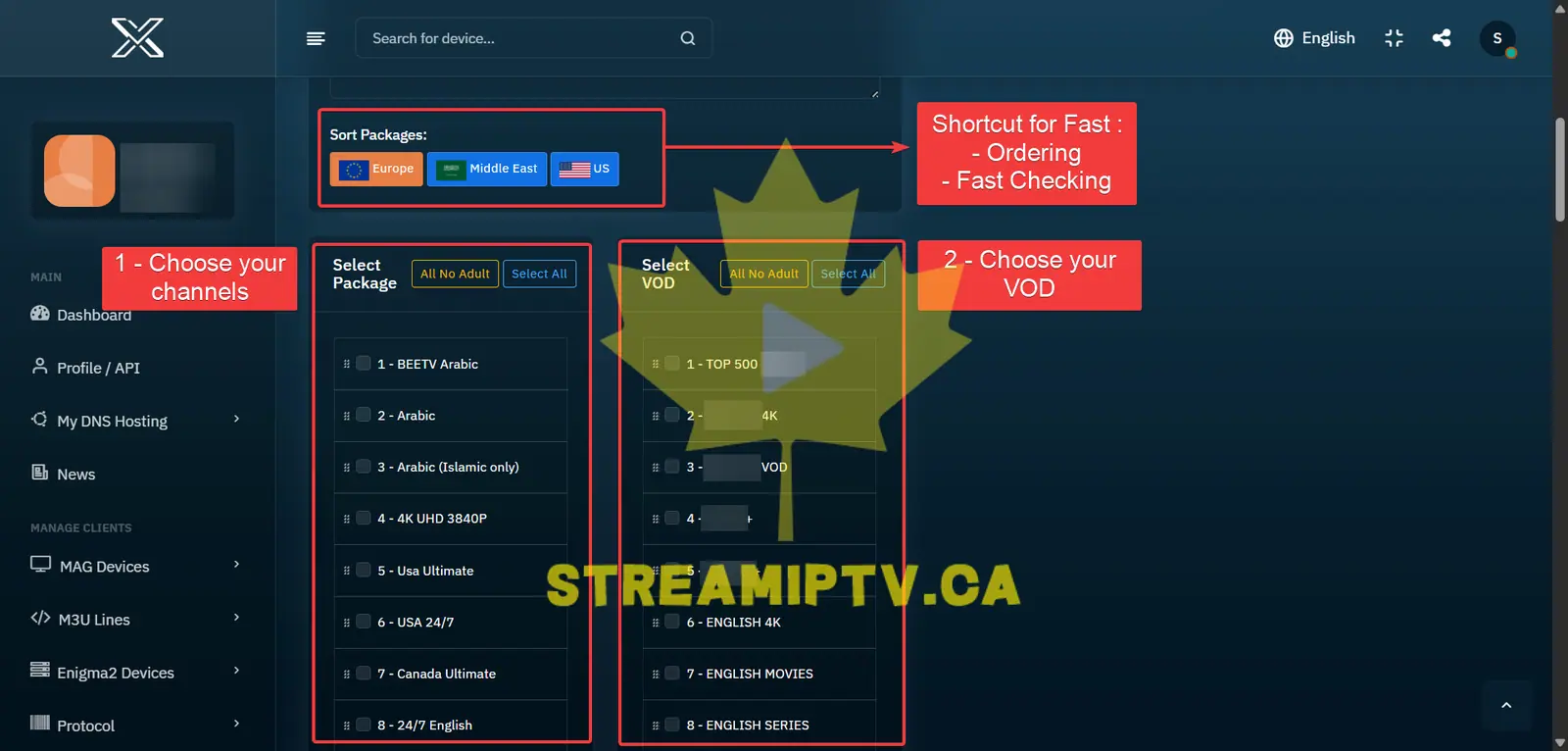
Select the Live TV and VOD packages you want to include in the free trial.
You can use the region shortcuts such as Europe, USA or Middle East to quickly find and select content for the customer's region.
If you enabled Custom Template, simply select your saved template instead. Its predefined channels and VOD will be applied automatically.
Click Confirm to Create the Trial
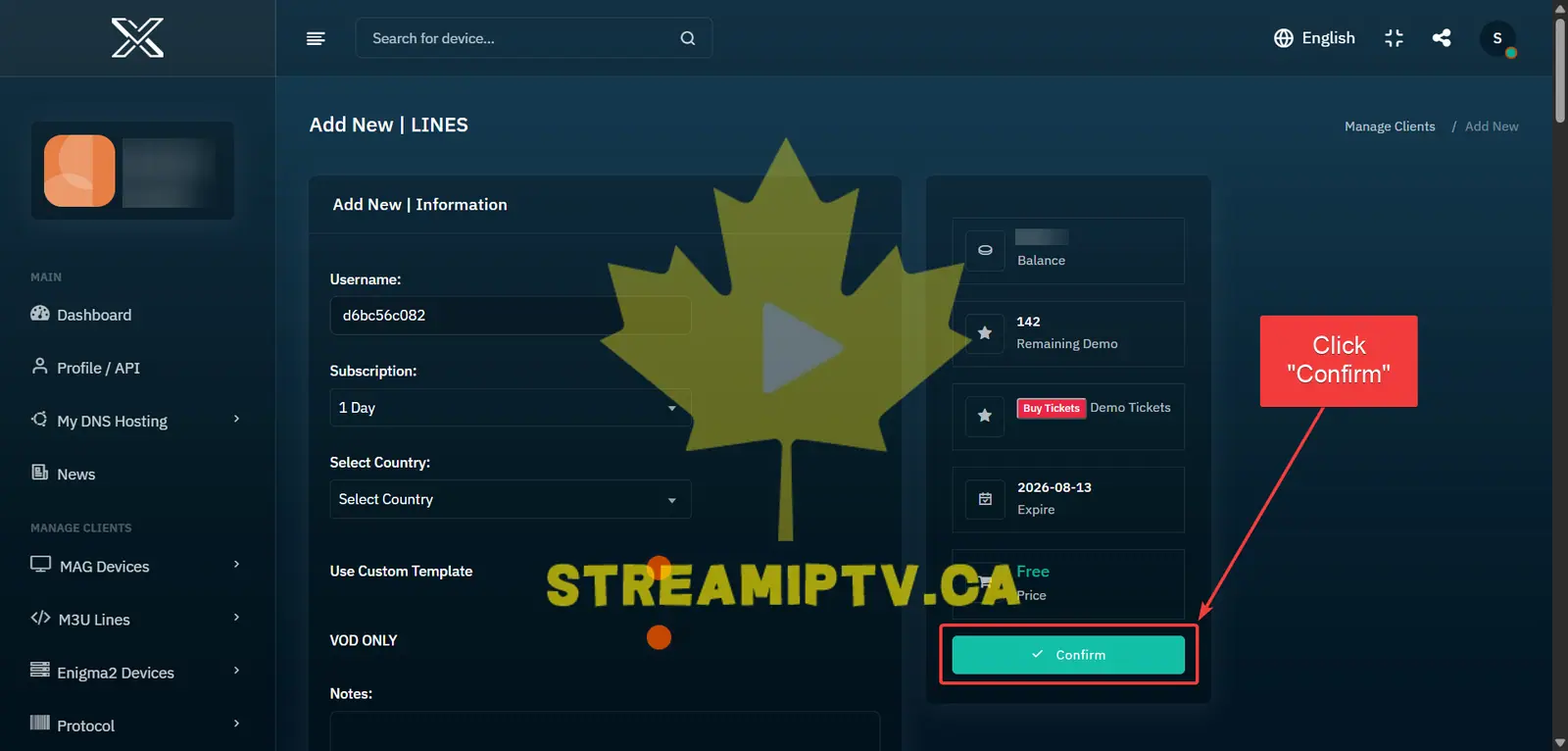
Review your selections, then click Confirm to generate the TREX 24-hour free trial.
Wait for the Success Confirmation
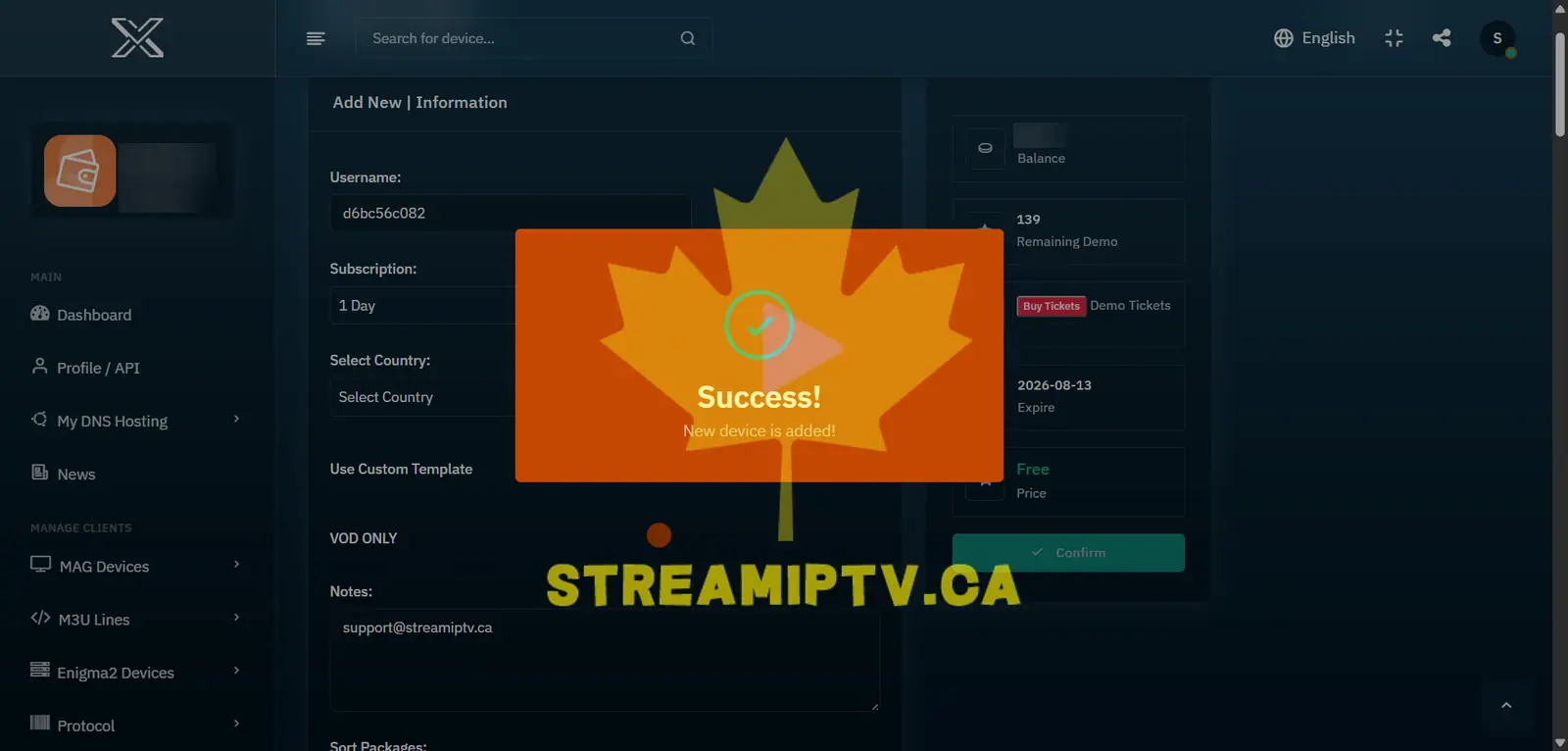
Wait until the TREX Panel displays the Success! New device is added! message. This confirms that the 24-hour trial has been created successfully.
Final step
Copy the M3U or Xtream Codes Login
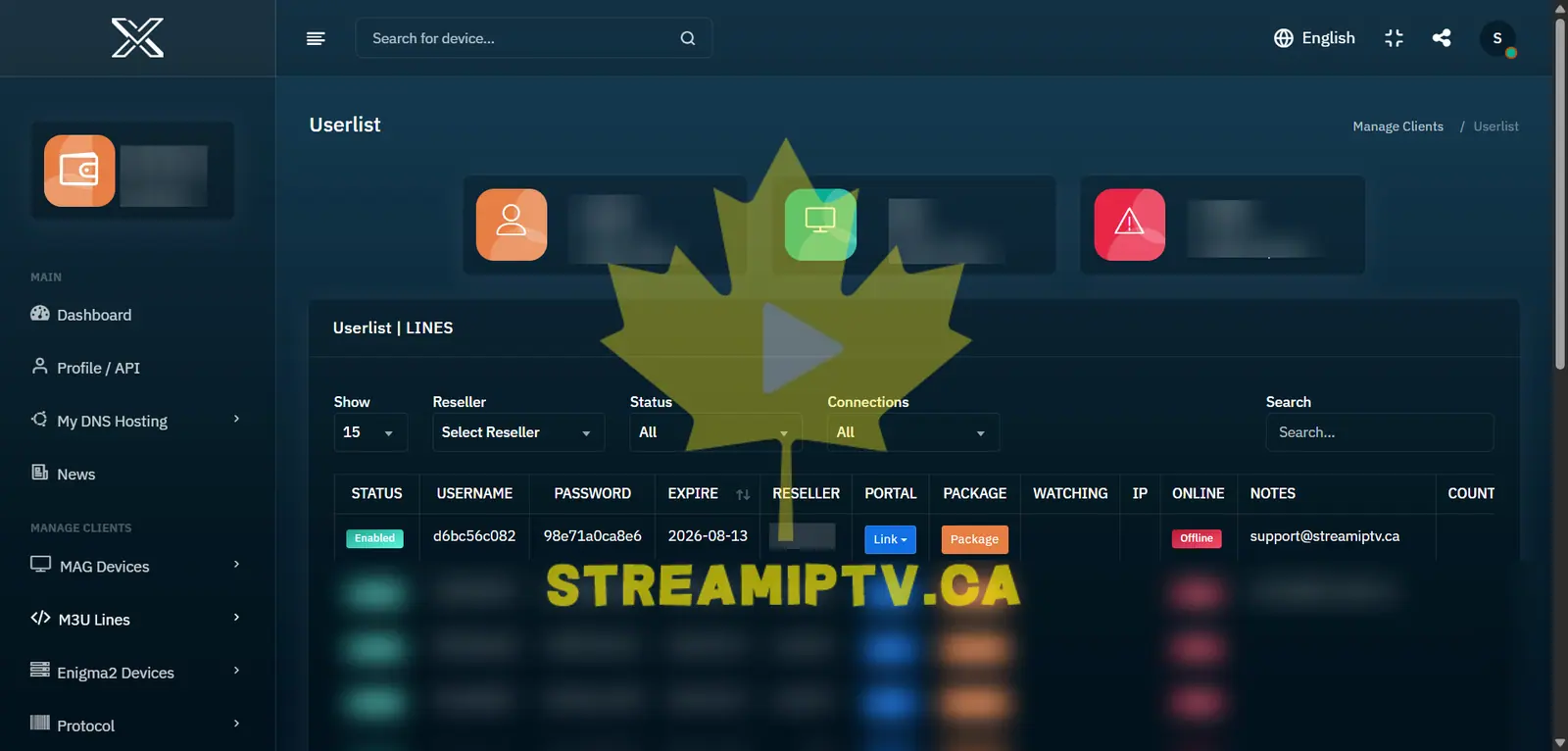
Once the trial is created, copy the customer's M3U URL or the server URL, username and password for Xtream Codes-compatible apps.
Send these credentials to the customer so they can start testing the service.
Comments (0)
Leave a comment